
A private archive for one family
Every generation, gathered in one nest.
Build your family tree, keep the documents, photos and DNA that prove it, and research it together with your relatives. The archive belongs to your family, and only the people you invite can open it.
Encrypted for your family. Files are sealed with your family's own key.
GEDCOM 7, in and out. Bring your tree from any program; it leaves with you, IDs intact.
Names in their own alphabet. Kept as written, with a Latin reading beside them.
Old style dates. Julian dates kept as written, the new style beside them.
The tree
Seven ways to see the same family
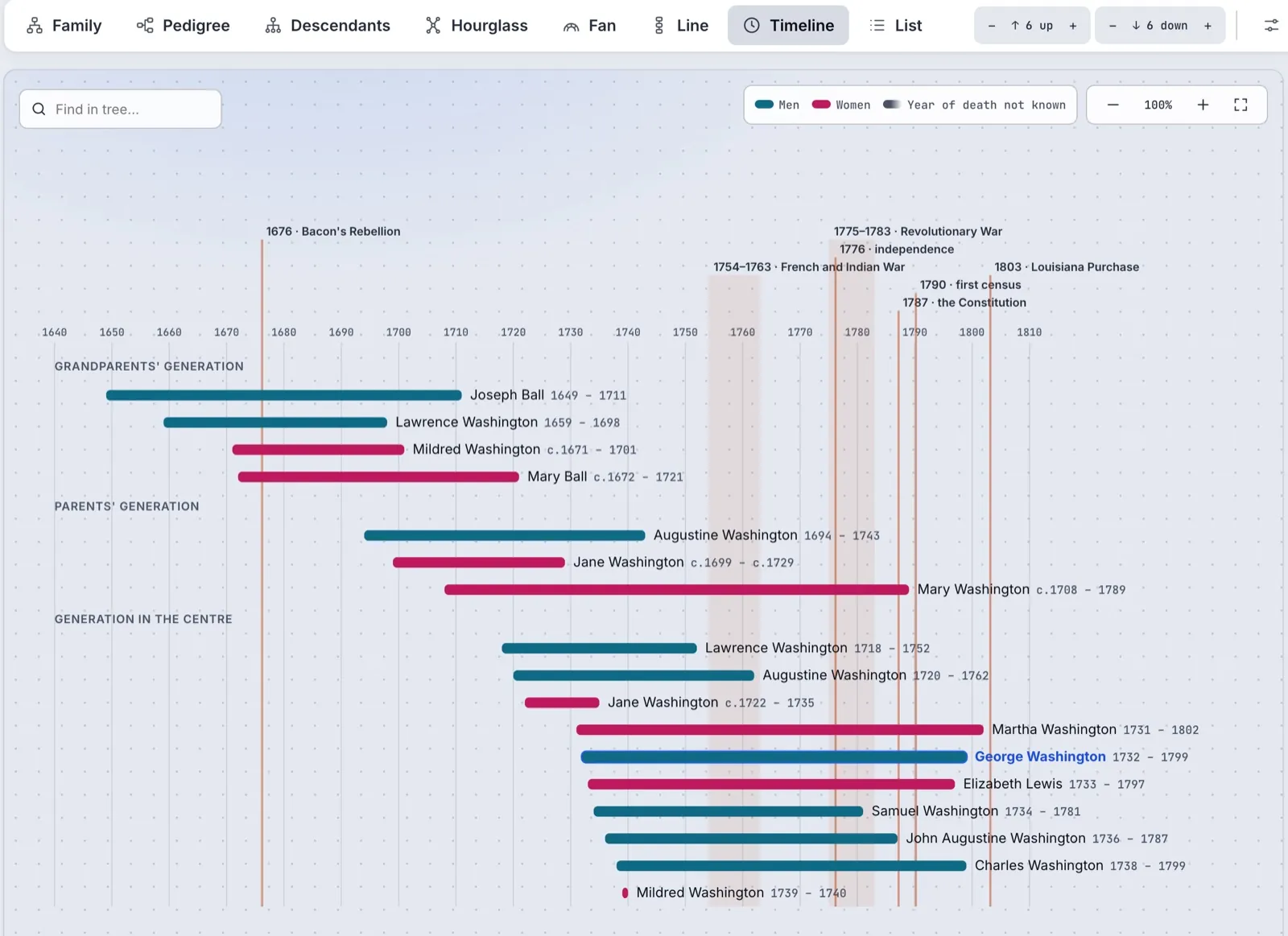
Every view is drawn from one tree, so a change made in one shows in all of them. Click anyone to see their closest family; open their page for their whole life.
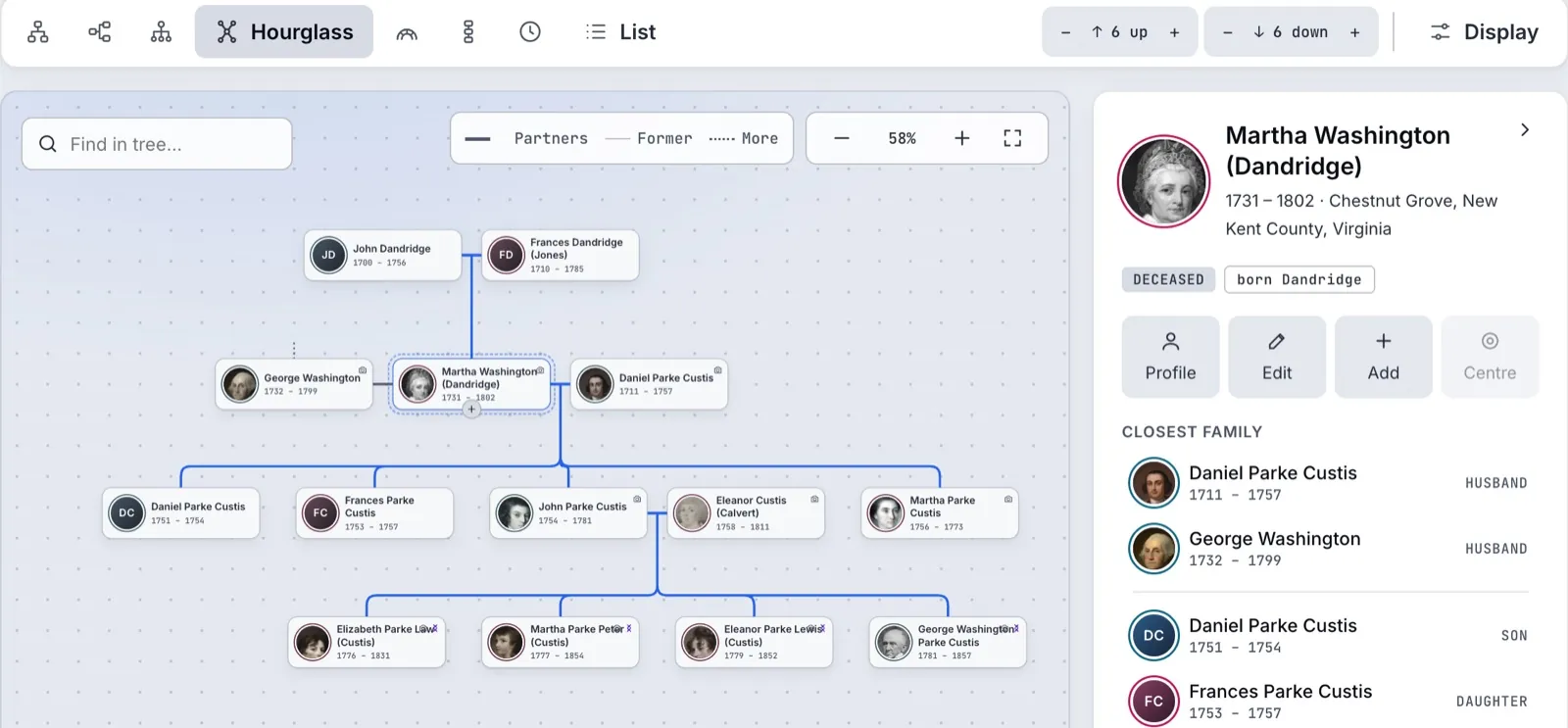
FamilyGenerations up and down, partners and former partners, every child under their couple.
Pedigree and fanAncestors, with an empty slot for every parent not yet found, coloured by how well each person is proved.
Descendants, line and hourglassEveryone from one forefather, branches folding away; a father's or mother's line; one person between both.
On the wallPrint any chart on one sheet up to A0, or a family book, for relatives who will never sign in.
Places
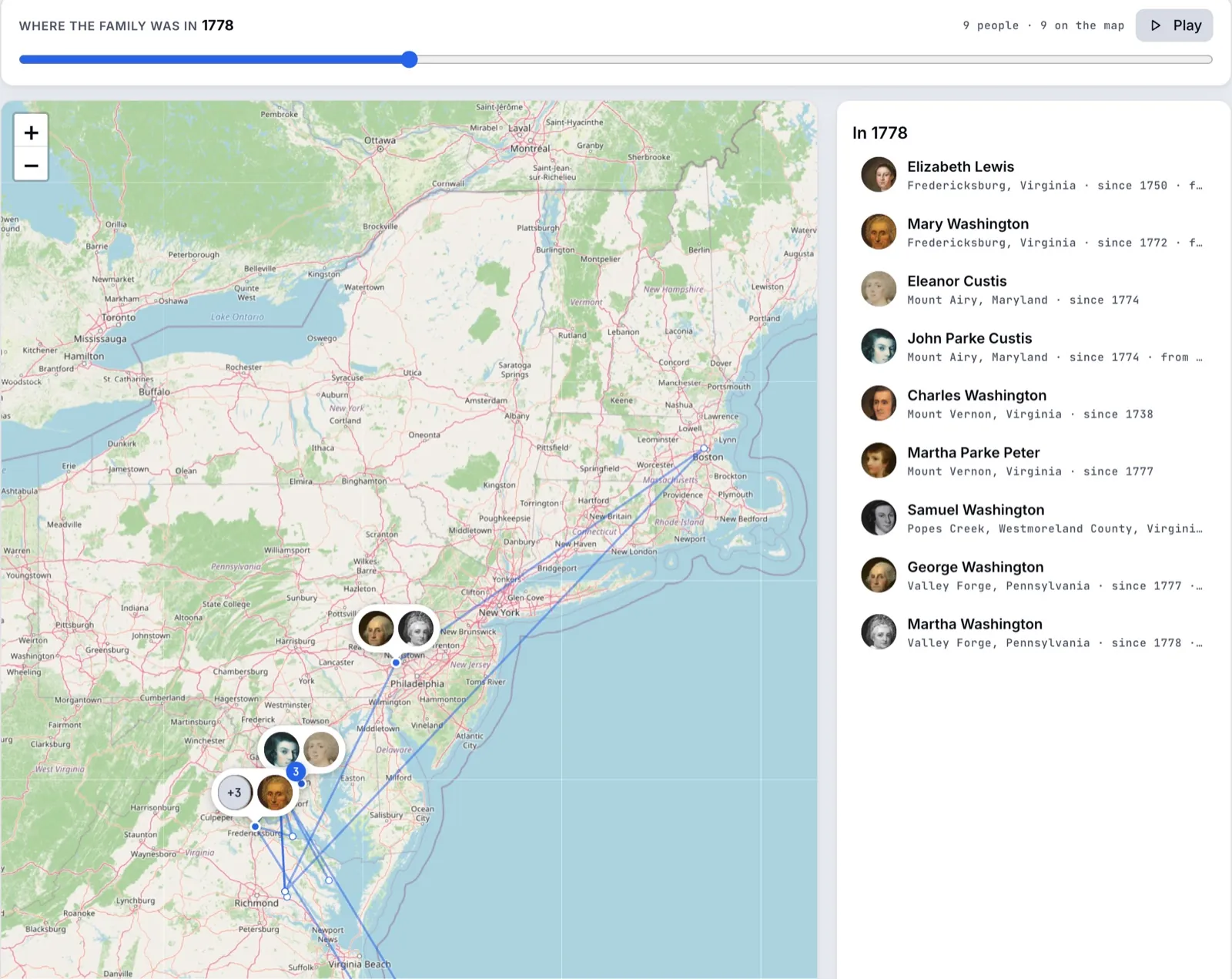
Where they lived, year by year
Every place in the family's story is found on the map by its name. Move the slider, or press Play, and watch the family spread out: who lived where in each year, since when, and the way they came.
Records
Sources you can stand on
Keep the scans of parish registers, censuses, civil records and passenger lists as documents, each with its archive reference down to the page. Cite them on every birth, marriage and death, and the tree shows where the research is still thin.
- The archive's own reference: collection, series, file and page
- Pages in order, front and back, with a transcription beside each
- A to-do list for what is still to find, for you, your relatives or an assistant
- Repository
- Washington Library, Mount Vernon
- Collection
- Manuscripts and Special Collections
- Item
- W-408
- Page
- A sheet kept in the Bible
Entry, in brief
George, son of Augustine and Mary his wife, born the 11th of February 1731/2, about ten in the morning; baptised the 5th of April following.
Photos
Photos that know who is in them
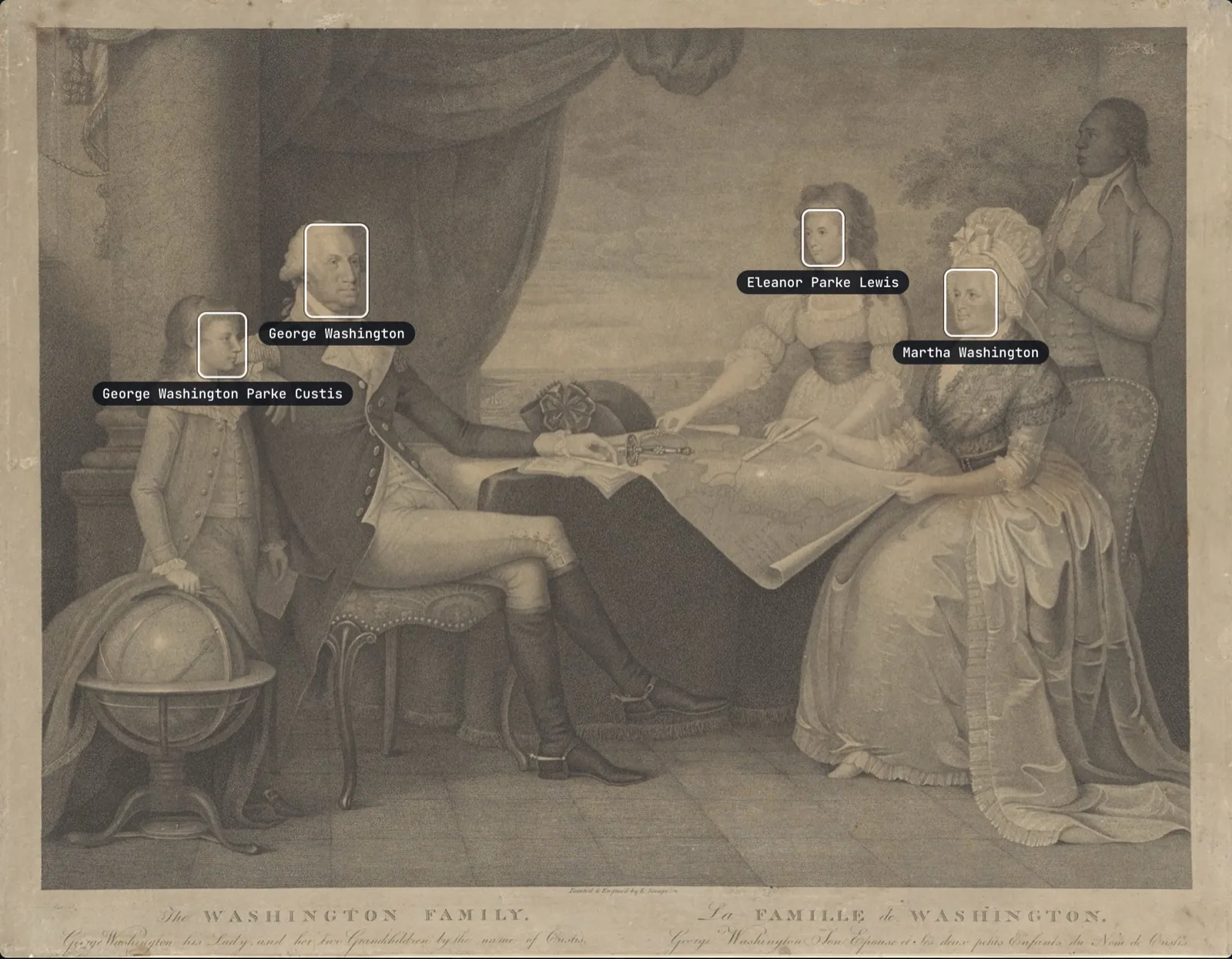
Faces are found in every photo, even small ones in a class picture. Name a few, and the archive suggests who the others are from the faces you have already named, favouring photos taken at a similar age. A person's page gathers every photo they appear in.
Relatives without an account can send a photo and what they know about it through a link, for an editor to accept.
Who is this?
- Looks like Eleanor Parke Custis62%
- From the tree: her sister Marthaof the same age
DNA
DNA that checks the tree, and finds what it lacks
Upload raw files from 23andMe, AncestryDNA, MyHeritage or FamilyTreeDNA. Every relative's kit is compared with every other, and each match with what the tree says they should share.
The Washingtons never took a DNA test: the kits of Martha's four grandchildren here are simulated for the example.
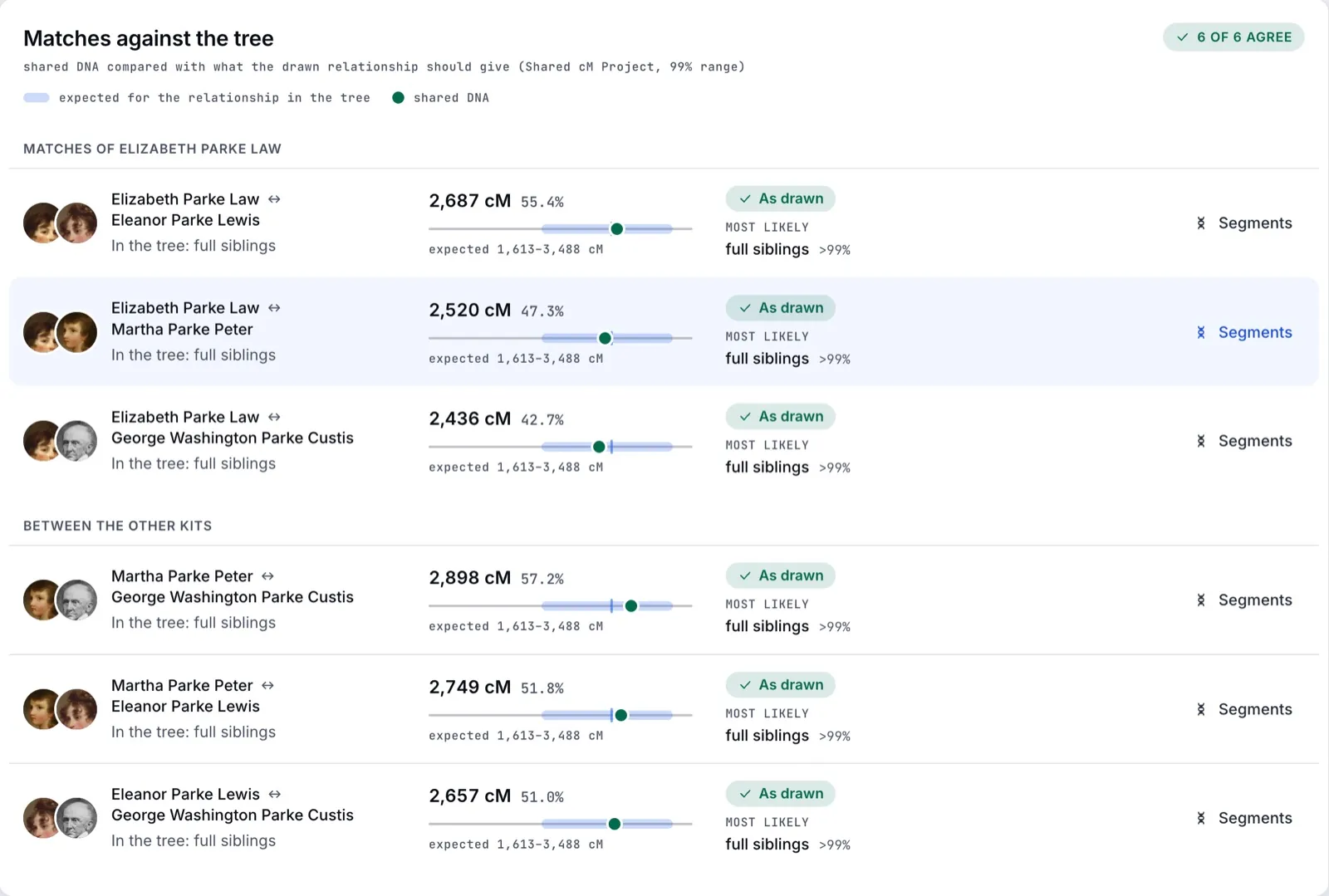
Checked against the treeAgreement is confirmed; a mismatch points at a mistake in the tree, or a relative it does not show yet.
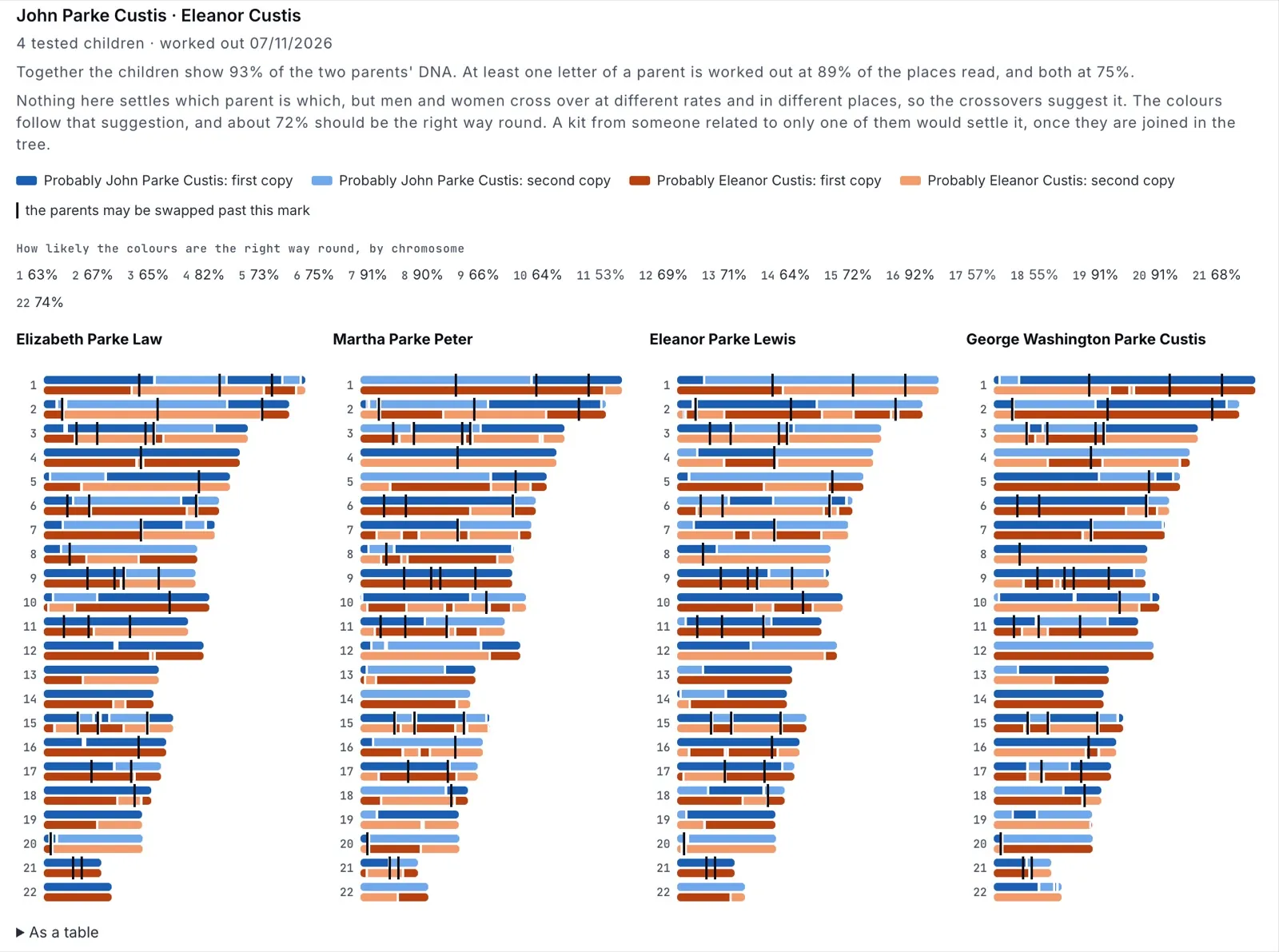
Parents' DNA, recoveredWith three children of one couple tested, a chromosome map shows which parent each stretch came from, without either parent ever taking a test.
Your lines, back to the Stone AgeFather's and mother's lines carried through the tree, placed on the open Y and mtDNA trees, with the ancient people found on the same branches.
Each kit records who consented and when. Raw files are encrypted and never sent to another service, and deleting a kit deletes everything made from it.
Together
A family's research, done by the whole family
A cousin knows her mother's line better than anyone. Invite her to run it.
Roles and branchesOwners, admins, editors, contributors and viewers. Limit anyone to their own branch, and keep living people's details from those who need not see them.
Every change can be undoneEach change is kept with who made it and when. Contributors propose, owners and admins approve, and any change can be undone.
AI assistants, on your termsIf the owners allow it, connect Claude to read the archive and suggest research. It can do no more than you, and the family can make its changes wait for review.
Related familiesThe in-laws' tree as an archive of its own under yours, with its own members, and people copied between them.
Birthdays and memorial daysA weekly digest, a reminder on the morning, and a calendar your phone subscribes to.
A link to one branchShare a branch with a relative for a set time, without an account, and without anyone living in it shown.
Privacy
Private by design, and yours to take
Ancestral Nest is a closed archive. Nothing in it is public, nothing is sold, and nothing is used to train anyone's models.
Sealed per familyPhotos, scans and DNA files are encrypted with your family's own key.
Living people stay privateShared links, and exports made for sharing, leave out the details of everyone who may be alive.
Your storage, if you likeKeep the originals in your own Amazon S3 or compatible bucket, still encrypted.
Nightly copies to youThe whole archive, tree, documents and files, sent each night to storage you own.
Questions
Questions families ask first
Short answers about privacy, DNA and your data. The longer ones are on the page How your archive stays private.
Who can open our family's archive?
Only the people your family invites. There is no public sign-up: an account exists only for someone a family's owner or admin has invited, and each member sees what their role and limits allow. Nothing in an archive is public. The people who run the service can open a family's archive only through time-limited access that is recorded, and every owner of the family is emailed when it starts.
How is our archive encrypted?
Each family has its own key. Photos, scans, documents, videos and DNA files are encrypted with it (AES-256-GCM) as they are uploaded, and the key itself is locked by the service's master key. The tree's names and dates are kept in a database that walls each family's records off from every other family's, and each family's part of the nightly backups is sealed with its own key.
Who can see living people?
Only members of your family's archive. An owner or admin can keep living people's details from any member, who then sees each of them only as “Living” and a surname, without photos. Links to a branch never show anyone living, and a GEDCOM export made for sharing leaves their details out. Anyone marked living, or with no death or burial recorded and born less than 110 years ago, counts as possibly living.
Is my DNA private?
Yes. Your raw file is encrypted with your family's key, compared only with your own family's kits, and never sent to another service. Your kit is seen by you and the family's owners and admins; mark it private, and only you and the owners see it. A match shows to whoever sees both kits, and to each of the two people unless the other's kit is private. The service's administrators never see DNA, and deleting a kit deletes everything made from it.
Can I import and export GEDCOM?
Yes. Bring a GEDCOM 7 or 5.5.1 file from any genealogy program, and export the whole tree as GEDCOM 7, or as 5.5.1 for older programs. What Ancestral Nest does not use itself, such as another program's own IDs, is kept and written back out on export. Importing and exporting are for the family's owners and admins.
Can we keep a copy of the whole archive?
Yes. Owners and admins can download everything as one ZIP: the tree in both GEDCOM versions and every original photo, video and document. Owners can also have that archive sent every night to an Amazon S3 or S3-compatible bucket of their own, so the family always holds its own copy.
What happens to our data if we delete the family?
An owner can delete the family. Everyone loses access at once, and for 30 days the service can still restore it, in case it was a mistake. After that, its tree, files and keys are destroyed, in the service's backups too. Copies you downloaded or sent to your own storage stay yours.
Does this site use cookies or trackers?
No. ancestralnest.com has no cookies, no scripts, no analytics and no advertising, and its fonts and pictures are served from here, so a visit tells no one else. Once you sign in, the app uses only the cookies it needs to keep you signed in and protect your session.
Start with what you already know
Add yourself and work outwards, or bring the tree you have. Ancestral Nest opens to families on [LAUNCH DATE]. Leave your address and we will write when your archive is ready.